

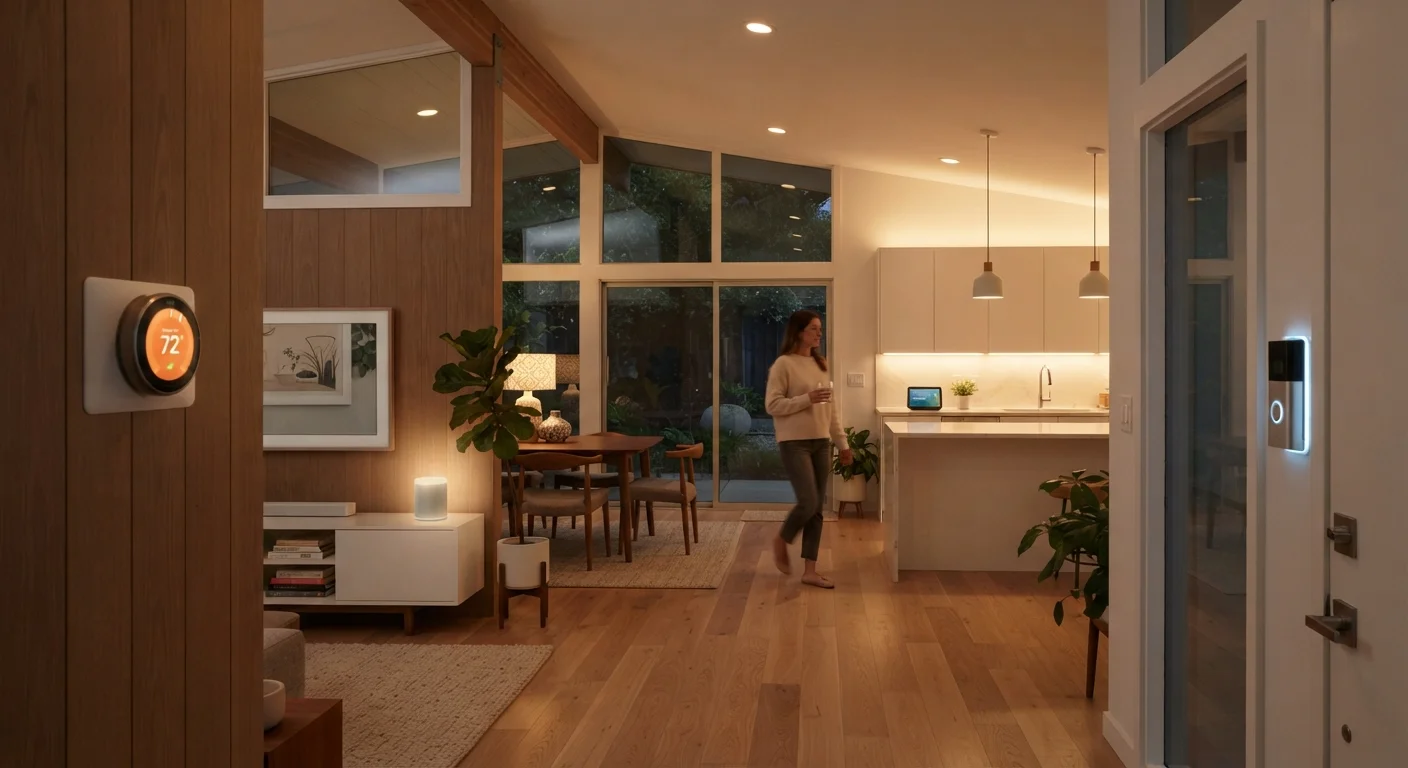
What Smart Devices Are Actually Designed to Do
The phrase "smart home" suggests a unified, seamlessly automated living space — but the reality for most households is far more incremental. Smart devices are, at their core, tools that replace or enhance a specific manual action: flipping a switch, turning a lock, adjusting a thermostat. What makes them useful depends entirely on whether that action is one you actually want automated.
This room-by-room overview is intended to cut through the marketing language and describe what these devices concretely do — and where the genuine value lies for everyday households. Before diving in, note that network reliability and device compatibility are real constraints. Consumer electronics guidance can help frame the broader context of how connected devices fit into a home setup.
Compatibility Matters Before You Buy
Smart devices from different manufacturers don't always work together natively. Before adding a new device to any room, check whether it's compatible with your existing hub, voice assistant platform, or home app. The pre-purchase checklist for smart devices covers the key compatibility and network questions worth answering first.
The list below moves through the home roughly in the order most people encounter it — front door to back garage — with a focus on practical function over feature counts.
Entryway and Front Door
The entryway is one of the most naturally suited spaces for smart technology because access control is a concrete, daily problem. Smart locks let you grant or revoke entry without physical keys — useful for dog walkers, houseguests, or delivery windows. Video doorbells add a live camera feed to that equation, letting you see and speak with whoever is at the door from your phone, regardless of where you are in the house.
What these devices actually do: they replace or augment a manual action (unlocking a door, answering a bell) with a remotely controllable, logged equivalent. Motion-triggered alerts and package detection are common add-ons, though accuracy varies by device and placement.
Smart locks replace physical keys with remotely managed, logged access — a concrete daily upgrade.
Living Room
The living room typically becomes the entertainment hub of a smart home. Smart TVs and streaming devices centralize your media apps in one interface, while smart speakers or displays add voice-activated control over music, timers, and general queries. Smart lighting in this room is particularly versatile — dimmable bulbs let you shift from bright task lighting to ambient movie-watching levels without leaving the couch.
One nuance worth understanding: the apps built into a smart TV and a separate streaming device behave differently over time in terms of updates and performance. For a deeper look at that distinction, see how streaming devices compare to built-in smart TV apps.
Smart lighting in the living room offers one of the most immediate, noticeable quality-of-life improvements.
Kitchen
In the kitchen, smart devices tend to solve hands-free and inventory problems. A smart display on the counter can show recipes step-by-step while you cook, respond to voice commands when your hands are full, and double as a video call screen. Smart plugs can automate small appliances — a coffee maker timed to start before you wake up is a simple but genuinely useful example.
Smart sensors for water leaks under the sink or near the dishwasher are an underrated category here. They don't control anything, but they alert you to slow leaks before they become expensive structural damage — a monitoring function that requires no routine interaction once installed.
Leak sensors under the sink offer passive, low-maintenance protection with real financial upside.
Bedroom
Bedroom automation tends to focus on comfort and sleep environment. Smart thermostats or room sensors can lower the temperature at a set time each night. Smart bulbs with adjustable color temperature can shift toward warmer, dimmer light in the evening to reduce screen-like blue light exposure before sleep — though individual responses to light vary, and this is a convenience feature, not a medical intervention.
Smart plugs attached to bedside lamps, combined with a voice assistant, let you turn off lights without getting up. Wake-up routines that gradually brighten lights before an alarm are another common use, effectively simulating a sunrise. Understanding how these routines differ from simple on/off automation is covered in this breakdown of automations, scenes, and routines.
Gradual wake-up lighting routines are among the most practical and frequently used bedroom automations.
Home Office
In a home office, smart devices largely address ergonomics, focus, and connectivity. Smart plugs on a power strip can cut standby power to peripherals with a single command at the end of the workday. Lighting is again central — consistent, glare-free illumination matters for long screen sessions, and smart bulbs let you adjust brightness and tone throughout the day without interrupting your workflow.
For those building out a dedicated workspace, the home office setup hub covers the broader considerations beyond just smart devices, including desk ergonomics and display configuration.
Smart plugs cutting standby power at day's end are a simple, set-and-forget home office habit.
Garage and Outdoor Spaces
The garage is a natural fit for smart devices because its primary actions — opening and closing a door — are easy to automate and genuinely useful to monitor remotely. Smart garage door controllers attach to most existing openers and add app-based open/close commands and status alerts, so you're never left wondering whether you remembered to close it.
Outdoors, motion-activated smart lights deter nighttime intrusion while conserving energy compared to lights left on continuously. Outdoor cameras extend the video coverage started at the front door. For any camera or access device, it's worth reviewing the privacy considerations before setup — what data smart devices collect is a question more owners should ask upfront.
A smart garage controller adds remote status monitoring and control to an existing opener with minimal installation.
Building a Connected Home That Actually Works for You
A room-by-room approach to smart devices is useful precisely because it keeps the focus on function. The best smart home isn't the one with the most devices — it's the one where each device solves a real problem in its specific context. Lighting in a bedroom serves different goals than lighting in a living room; access control at the front door has different stakes than a garage door controller.
Start With One Room, Then Expand
New smart home owners often get the most value by focusing on a single room — typically the living room or entryway — before branching out. This approach makes setup manageable, helps you learn how your chosen ecosystem behaves, and lets you identify any network or compatibility gaps early. For a practical walkthrough of the setup process itself, getting your first smart device online is a useful starting point.
As your setup grows, understanding how automations, scenes, and routines work will unlock significantly more useful behavior than simply controlling devices one at a time. The underlying logic of how triggers are set up makes a meaningful difference in day-to-day convenience.
This article is for general informational purposes only and does not constitute professional installation, electrical, or security advice. Consult qualified professionals for any installation work involving wiring, structural modifications, or security system design.
The content on this site is for informational purposes only and is not a substitute for professional advice. Always consult a qualified professional for guidance specific to your situation.