

Why Smart Home Vocabulary Matters
Walking into a smart home conversation without knowing the terminology is like reading a recipe in a language you've only half-studied. You can guess at some words, but one misread ingredient changes the whole dish. Whether you're planning your first smart device purchase or trying to untangle a setup that isn't working, knowing the right vocabulary helps you ask better questions, read product descriptions accurately, and avoid compatibility surprises.
This glossary covers the terms you'll encounter most often — not every possible acronym, but the ones that actually shape buying decisions and daily use. For a broader orientation before you start shopping, see The Connected Home from the Ground Up.
Protocol
A set of communication rules that allows devices to exchange data. In smart homes, common protocols include Wi-Fi, Zigbee, Z-Wave, and Matter. Devices must share a protocol — or use a bridge — to work together.
Hub
A central device that manages communication between smart home devices. Hubs often support multiple protocols, acting as a translator so devices from different manufacturers can work together.
Mesh Network
A Wi-Fi architecture using multiple access points (nodes) that relay signals between each other, providing more consistent wireless coverage across a home compared to a single router.
Local Processing
When a smart home hub or device handles commands internally, without routing them through a remote server. Local processing generally means faster responses and continued function when internet access is interrupted.
Cloud Processing
When a device sends commands to a manufacturer's remote server, which then returns a response. This approach requires a stable internet connection and can introduce latency.
Latency
The time delay between issuing a command and receiving a response. In smart home contexts, high latency can make lights or locks feel sluggish, especially during automations.
Matter
An open connectivity standard developed by a cross-industry alliance to improve interoperability among smart home devices. Devices certified for Matter are designed to work across different ecosystems without requiring a brand-specific hub.
Automation
A rule that triggers one or more device actions automatically based on a condition — such as time of day, sensor state, or another device's status — without requiring manual input.
Scene
A saved snapshot of multiple device settings that can be activated with a single command. For example, a 'movie night' scene might dim lights and lower a TV volume simultaneously.
Bridge
A device that translates communication between two different protocols, allowing devices that use incompatible wireless languages to work together within the same system.
Ecosystem
A collection of smart home products and services built around a single platform — such as a specific voice assistant or app. Devices within the same ecosystem typically integrate more easily with each other.
Interoperability
The ability of devices from different manufacturers or platforms to communicate and work together. Standards like Matter are designed to improve interoperability across the smart home industry.
Core Connectivity Terms
Smart home devices communicate using several different wireless protocols. A protocol is simply a shared language that lets devices send and receive commands reliably. Choosing devices that share a protocol — or use a bridge that translates between them — prevents the most common frustration new owners face: devices that won't talk to each other.
| Common Smart Home Protocols | Wi-Fi, Zigbee, Z-Wave, Matter, Bluetooth |
| Local vs. Cloud Processing | Local is faster; cloud requires internet |
| Mesh Network Benefit | Consistent coverage across large or multi-floor homes |
| Matter Standard Goal | Cross-brand interoperability without a proprietary hub (Connectivity Standards Alliance) |
| Hub vs. Voice Assistant | Different functions — hubs coordinate devices; assistants respond to voice |
Mesh networking is another term worth understanding early. In a traditional Wi-Fi setup, one router broadcasts a signal and devices connect directly to it. A mesh network uses multiple nodes spread around the home, each relaying the signal, so devices at the edge of the house don't struggle for coverage. This matters especially when you start adding devices in garages, basements, or back bedrooms.
Latency — the small delay between sending a command and seeing a result — is influenced by how your devices connect. Local processing (commands handled on a hub inside your home) typically has lower latency than cloud processing (commands routed through a manufacturer's remote servers). For automations that trigger lighting or locks, that delay can be perceptible. For a deeper look at how protocols compare, Smart Home Protocols Explained covers Wi-Fi, Zigbee, Z-Wave, and Matter side by side.
Hubs, Assistants, and Controllers
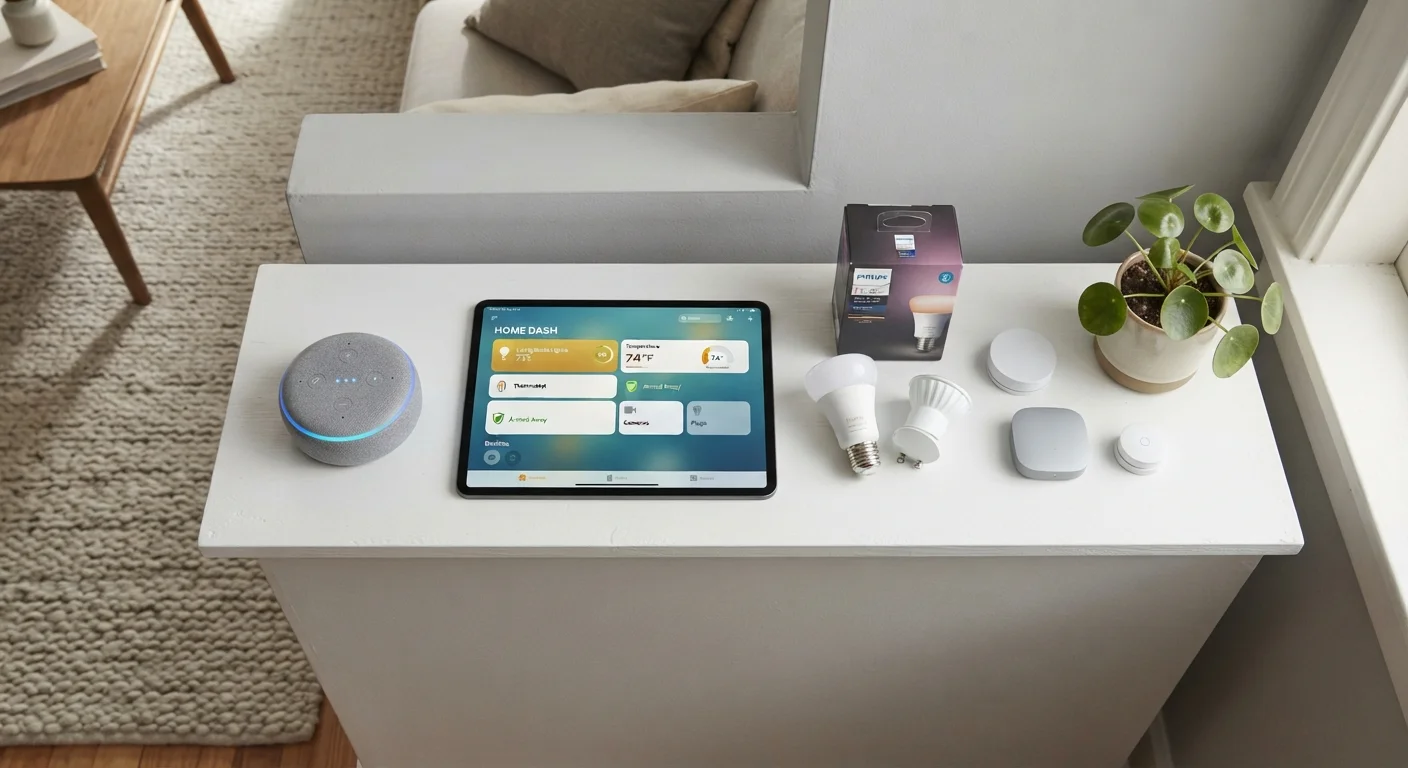
Three terms are frequently mixed up by new owners: hub, voice assistant, and controller. A hub is a dedicated device that centralizes communication between your smart devices, often supporting multiple protocols simultaneously. A voice assistant responds to spoken commands and may trigger smart home actions, but it is not always managing device-to-device communication directly. A controller is any interface — app, remote, or display — you use to interact with the system.
Hub and Voice Assistant: Not Interchangeable
Many smart speakers include limited hub-like functionality, which adds to the confusion. However, a dedicated hub typically supports more protocols, runs automations locally, and doesn't depend on a voice command to function. If your smart home plans extend beyond a handful of devices, understanding this distinction before you build helps you avoid rearchitecting later.
Understanding this distinction prevents a common setup mistake: assuming a voice assistant replaces a hub. They serve overlapping but distinct functions. Smart Hubs vs. Voice Assistants walks through what each one actually does and when you need both.
Automations, scenes, and routines are also terms that get used interchangeably in marketing, but they work differently in practice. Knowing the distinction helps you configure your system to behave the way you actually want. Automations vs. Scenes vs. Routines breaks each one down clearly. And if you've heard claims that smart homes are only for technical experts or require specific setups, Common Smart Home Myths addresses those directly.
The content on this site is for informational purposes only and is not a substitute for professional advice. Always consult a qualified professional for guidance specific to your situation.