

Why Home Offices Sound So Bad
Most home offices occupy rooms that were never designed for voice communication or focused work. Spare bedrooms, converted dining rooms, and open-plan corners share a common acoustic flaw: too many hard, parallel surfaces — walls, floors, windows, and desks — that bounce sound back and forth. The result is a room that sounds live and reverberant, making it tiring to concentrate and embarrassing on video calls.
Understanding the difference between two problems helps clarify the solution. Reverberation is the echo-like quality caused by sound reflecting inside the room itself. Noise transmission is sound entering from outside — traffic, neighbors, household noise. Most practical home office treatments address reverberation; reducing transmission is harder and often requires structural changes. See what makes a home workspace effective for broader context on how acoustics fit into overall office design.
The Practical Hierarchy of Acoustic Fixes
Before purchasing any specialist product, work through the environmental changes that cost little but deliver the most impact.
Add a large area rug to bare floor spaces
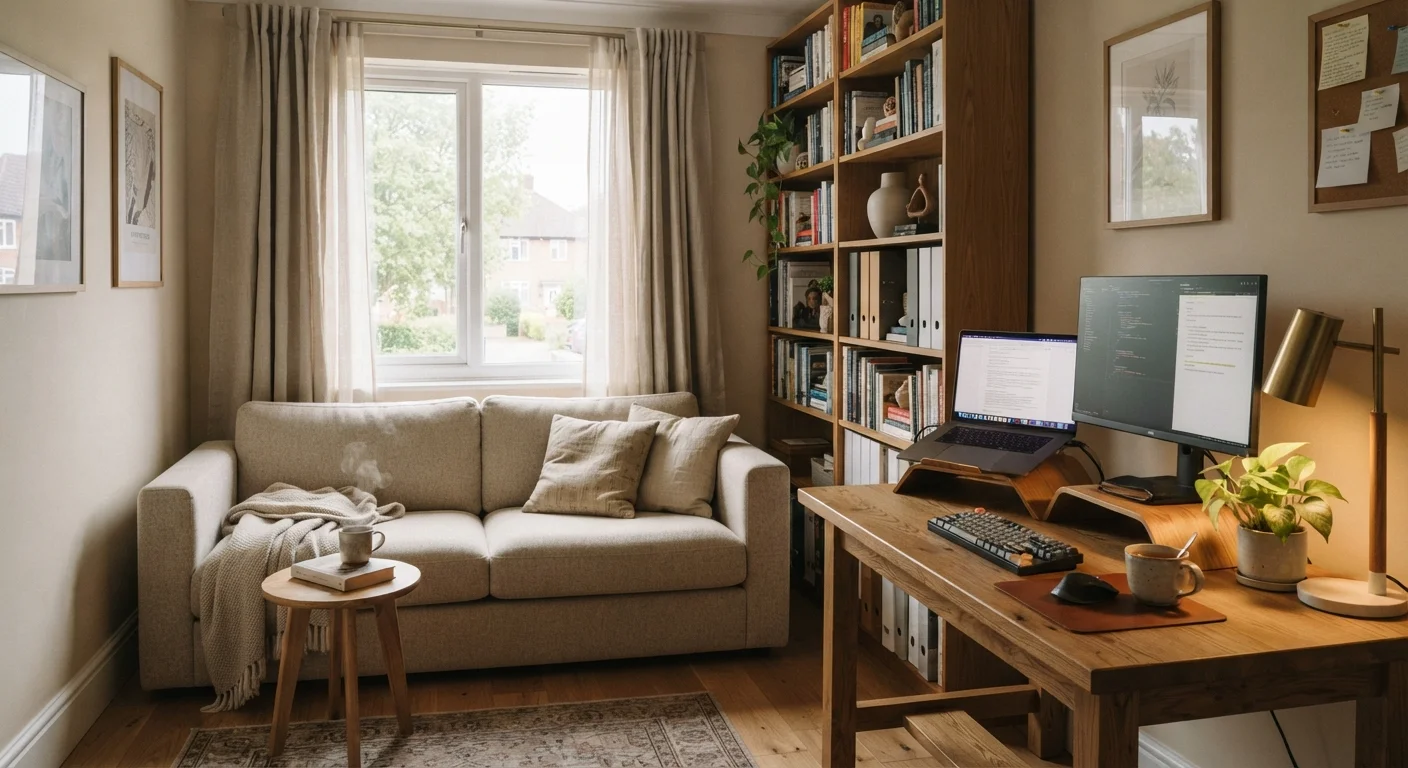
Hard floors — particularly hardwood, tile, or laminate — reflect sound efficiently, worsening room reverberation. A thick rug, ideally with a dense pad underneath, absorbs mid-range frequencies and reduces the live, echoey character of a room. The larger the rug, the greater the effect.
Hang heavy curtains or drapes over windows
Windows are both reflective surfaces and the main entry point for exterior noise. Heavy, floor-length curtains made from dense fabric reduce both problems — they absorb sound within the room and provide a modest barrier to traffic and outdoor noise.
Position your desk to face a soft surface, not a hard wall
When you speak, sound travels forward. If your voice hits a bare wall directly in front of you and bounces back toward your microphone, callers hear a delayed, muddied version of your speech. Facing a bookcase filled with books, a fabric panel, or an upholstered surface breaks up that direct reflection.
Install acoustic panels on the wall behind and beside your monitor
Purpose-made acoustic panels — typically fabric-wrapped fiberglass or foam — absorb sound energy rather than reflecting it. They are most effective at mid and high frequencies, which include speech. Placement matters more than quantity: treat the 'first reflection points,' which are the surfaces sound hits before reaching your ears.
Use bookshelves filled with irregular objects as diffusers
Acoustic diffusion scatters sound in multiple directions rather than letting it bounce directly back. A bookshelf with books of varying depths, plus objects of different sizes, acts as an inexpensive diffuser. This reduces echo without making the room feel acoustically 'dead.'
Once the fundamentals are in place, revisit your room layout checklist to confirm noise was factored in alongside lighting and connectivity.
Quick Actions You Can Take Today
It is worth noting that total silence is not necessarily the goal. Research suggests that moderate ambient sound can support focus for many people — the aim is to eliminate unpredictable and distracting noise, not all sound. Common beliefs about silence and productivity are worth examining before over-engineering your setup.
Technology That Complements Room Treatment
Physical room treatment handles the room's acoustic character, but technology can manage what slips through — particularly on calls.
~0.4s
Reverberation time in a typical furnished room
Acoustic engineering guidelines generally target reverberation times below 0.5 seconds for speech intelligibility in small rooms; bare rooms can exceed this significantly.
10–15 dB
Noise reduction from heavy curtains over bare windows
Building acoustics research indicates that heavy, lined drapes can reduce sound transmission through windows by roughly 10–15 decibels depending on fabric density and fit.
Directional (cardioid) microphones capture sound primarily from one direction and reject noise from the sides and rear. Placing one correctly — pointed at your mouth, away from the window or door — reduces the ambient noise your callers hear far more reliably than a standard laptop microphone.
Noise-suppression software, now built into most major video conferencing platforms, uses machine learning to filter out keyboard clicks, HVAC hum, and background voices in real time. It works best when the room itself is already reasonably controlled; it struggles when the raw signal is very reverberant.
If you rely on headphones, understanding how active noise cancellation (ANC) actually works — and where it falls short — helps set realistic expectations. Separating ANC marketing claims from the physics is a useful companion read.
Low-Frequency Noise Is a Different Problem
Acoustic panels and soft furnishings are effective at absorbing mid and high-frequency sounds — speech, clicks, and surface reflections. Low-frequency noise, such as HVAC rumble, bass from nearby speakers, or traffic vibration, requires much denser mass to block or absorb. If low-frequency noise is your primary problem, the solutions are structural: additional drywall layers, resilient channels, or specialist low-frequency bass traps. These are generally more involved and costly than the room-treatment approaches described here.
For small or shared spaces where structural changes are impossible, a combination of a good directional microphone, a rug, and curtains will often produce a noticeable improvement with minimal investment. See small-space home office approaches for more ideas suited to constrained environments.
The content on this site is for informational purposes only and is not a substitute for professional advice. Always consult a qualified professional for guidance specific to your situation.