

Our Verdict
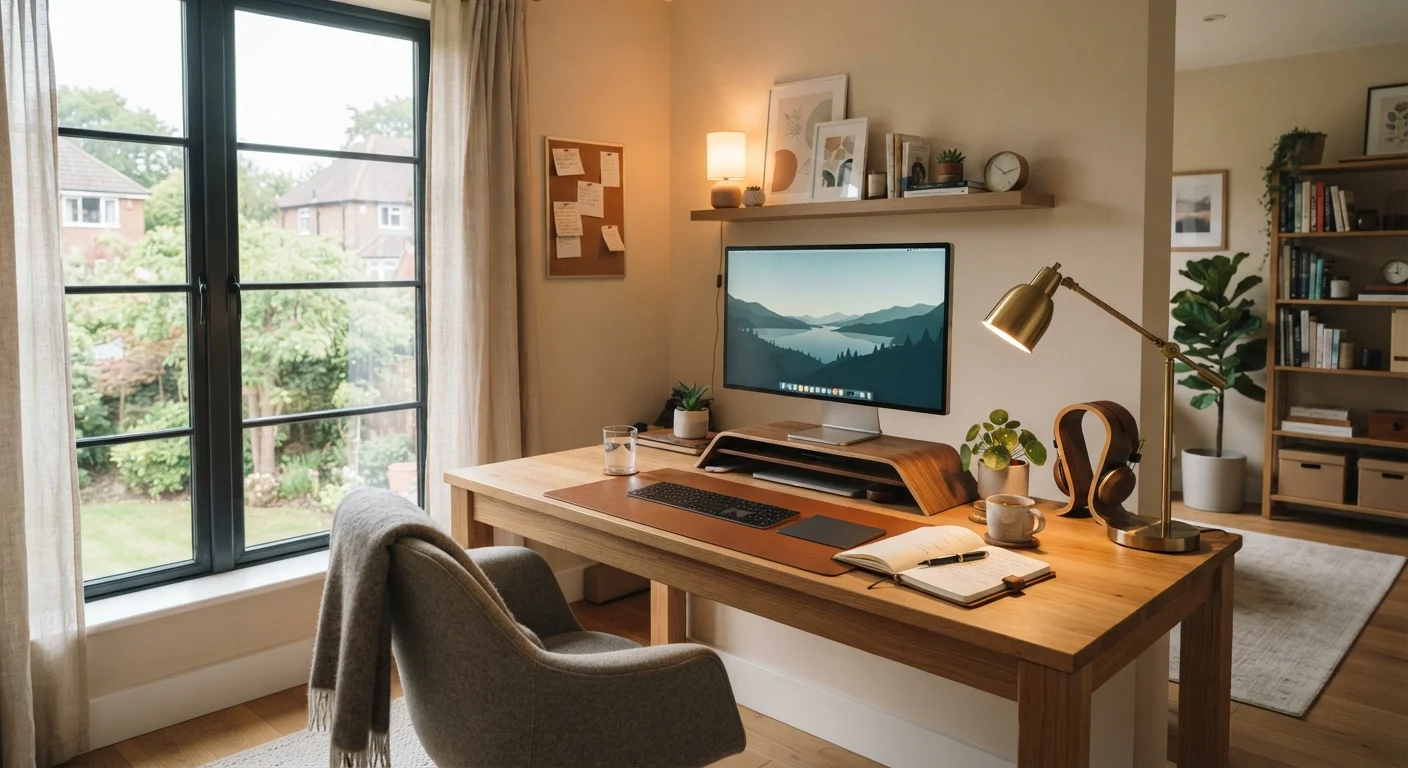
No single lighting type covers every home office need. Natural light is energizing but unreliable. Ambient light prevents eye-fatiguing contrast. Task light sharpens focus on detailed work. Together, all three form a practical, adaptable setup that supports both productivity and video presence.
| Best for | Recommended |
|---|---|
| Remote workers focused on reducing eye fatigue during long screen sessions | Layered ambient and task lighting |
| Those who prioritize mood and alertness throughout the workday | Natural light as the primary source, supplemented by ambient |
| Workers on frequent video calls who need consistent, flattering illumination | Dedicated task or ring lighting positioned at face level |
| Budget-conscious setups seeking the most immediate improvement | Repositioning an existing desk lamp as task lighting |
Why Lighting Matters More Than Most Home Office Upgrades
When remote workers invest in their home office, monitors and chairs tend to get the most attention. Yet lighting has a direct, measurable impact on eye strain, concentration, and how you appear on video calls. Poor lighting is one of the most common — and most correctable — comfort problems in home workspaces.
To make smart decisions, it helps to understand the three primary lighting types that apply to any work environment: natural light, ambient light, and task light. Each has distinct characteristics, strengths, and limitations. For a broader look at how lighting fits into your overall workspace, see the anatomy of a productive home office.
| Natural Light | Ambient Light | Task Light | |
|---|---|---|---|
| Consistency | Variable — changes with time and weather | Stable when on a fixed fixture | Stable and adjustable by user |
| Eye strain reduction | Good when diffused, poor with direct glare | Good — reduces screen contrast | Excellent for close work areas |
| Color temperature control | None — depends on natural conditions | High — choose bulbs or smart fixtures | High — most desk lamps are adjustable |
| Video call performance | Inconsistent — backlight risk | Moderate — reduces background shadows | Excellent when aimed at face |
| Setup cost | Free — requires only positioning | Low to moderate — fixture or bulbs | Low to moderate — lamp or ring light |
| Mood and alertness support | Strong — full-spectrum daylight | Moderate — depends on color temp | Minimal — focused, not room-wide |
Natural Light: The Gold Standard With Real Limitations
Sunlight is the highest-quality light source available for a home office. It provides a full spectrum of wavelengths that supports circadian rhythm regulation — the body's internal clock — and is associated with improved alertness and mood. Positioning a desk near a window can make a meaningful difference in how you feel during a workday.
However, natural light is inconsistent. Cloud cover, time of day, and season all shift its intensity and color. Direct sunlight hitting a monitor causes harsh glare that strains the eyes and washes out screen content. Positioning matters: side-facing windows reduce direct glare, while windows directly behind or in front of a monitor create the most problems.
Windows Behind Your Monitor Create Glare Problems
Placing your desk so that a window sits directly behind your monitor creates significant glare on the screen surface and forces your eyes to constantly adjust between the bright background and the display. This is a leading cause of headaches and eye fatigue in home offices. Where possible, position your desk so windows are to the side, and use blinds or diffusing curtains to soften direct sunlight during peak hours.
Reflective window films and adjustable blinds help moderate natural light without eliminating it entirely. Despite its benefits, relying on natural light alone leaves you with an unpredictable workspace that changes hour by hour.
Ambient Lighting: The Foundation Layer
Ambient light — sometimes called general lighting — fills an entire room with a baseline level of illumination. Overhead fixtures, floor lamps, and recessed lighting all serve this function. Its primary job in a home office is to prevent the stark contrast between a bright monitor and a dark surrounding environment, a common cause of visual fatigue during extended screen sessions.
Color temperature matters here. Measured in Kelvin (K), bulbs in the 4,000–5,000K range produce a neutral to cool white light that mimics daylight and tends to support focus. Warmer bulbs (2,700–3,000K) are better suited for relaxation spaces. For a home office, choosing the right color temperature for ambient fixtures is a practical decision with real productivity implications.
Match Color Temperature to Your Work Style
If your work requires high focus and alertness — such as writing, coding, or data analysis — lean toward cooler ambient bulbs in the 4,000–5,000K range. If your home office doubles as a creative or reading space in the evenings, a dimmable fixture with a warmer setting lets you adjust without swapping bulbs. Avoid mixing bulbs with very different color temperatures in the same room, as this creates an uneven, visually uncomfortable environment.
Dimmable ambient fixtures add flexibility — you can reduce intensity during video calls or late-afternoon sessions when glare becomes a factor. Smart bulbs that allow color temperature adjustment via app offer another level of control. For more on smart home devices that integrate with your setup, explore smart home basics.
Task Lighting: Precision Where You Need It
Task lighting is directional, focused illumination placed close to the work surface or activity. A well-positioned desk lamp that lights your keyboard, notebook, or physical documents without shining directly into your eyes is a classic example. Unlike ambient light, task lighting doesn't need to illuminate an entire room — it addresses a specific area of visual demand.
For video calls specifically, a light source aimed at your face from roughly eye level and slightly to one side produces even, flattering illumination that cameras respond well to. This is why ring lights — circular LED fixtures designed for face-forward lighting — have become common in home office setups. The goal is to eliminate shadows cast by overhead ambient light, which tends to create unflattering results on camera.
Adjustable arm lamps allow you to reposition task light quickly as your work shifts between screen-only tasks and paper-based work. Home office tech terms like lumens (total light output) and CRI (Color Rendering Index — a measure of how accurately a light source renders colors) are worth understanding when evaluating task lighting options.
Combining All Three: A Layered Lighting Strategy
Professional lighting designers use layering as a core principle: each type of light handles what it does best, and together they create a balanced environment. The same logic applies to a home office. Natural light sets the daytime baseline, ambient light fills gaps and prevents contrast fatigue, and task lighting targets the areas where detail and precision matter most.
This approach also benefits video call quality. With ambient light softening background shadows and task or ring lighting illuminating your face, cameras produce cleaner, more professional-looking images — without any editing or filters required.
If you're evaluating your overall workspace setup beyond lighting, a complete home office starting guide covers the other foundational decisions that affect daily comfort and productivity. Pairing good lighting with proper ergonomics — covered in detail in desk height and monitor distance guidance — rounds out the most impactful upgrades available to remote workers.
The content on this site is for informational purposes only and is not a substitute for professional advice. Always consult a qualified professional for guidance specific to your situation.