

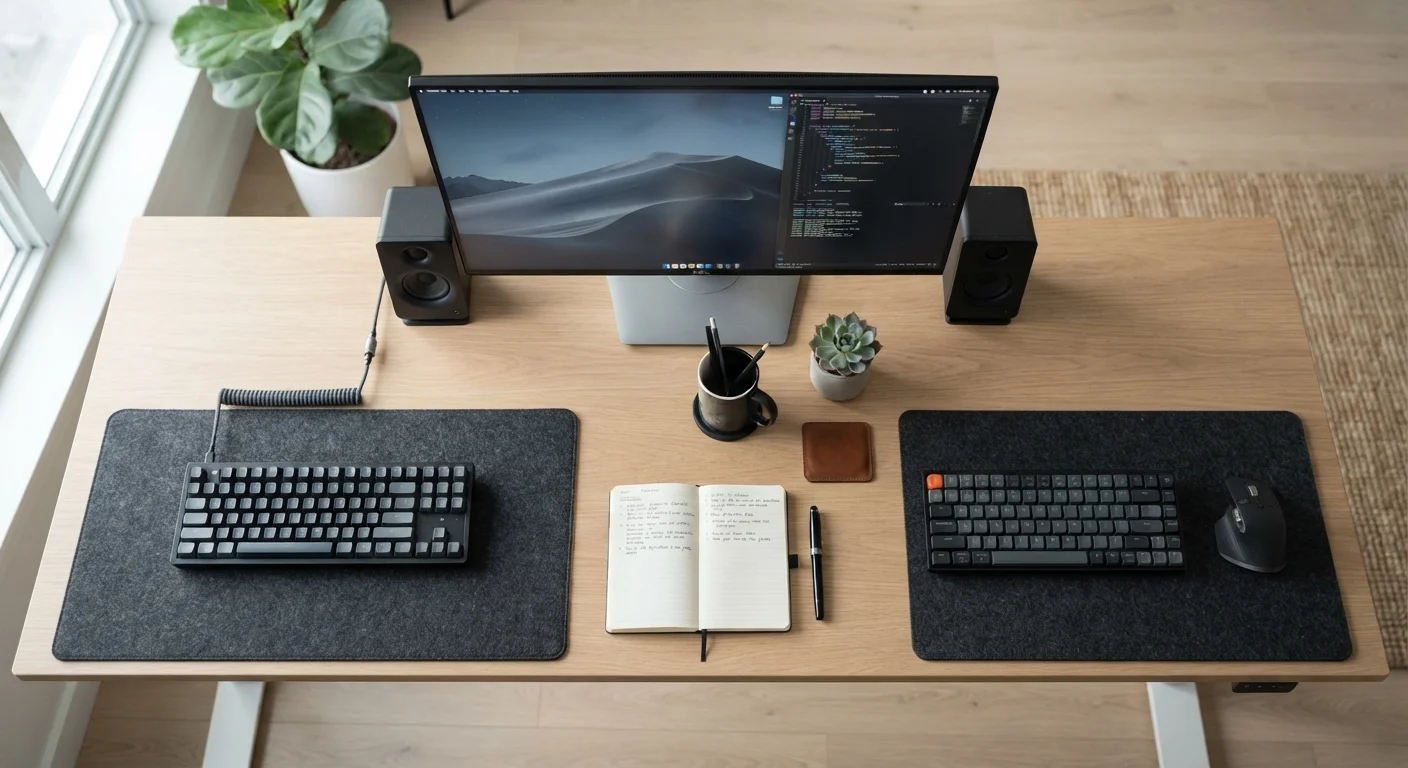
Option A
Wired Peripherals
The consistent, low-latency workhorse.
Best for: Remote workers who prioritize reliability, zero battery anxiety, and predictable performance throughout long sessions.
Option B
Wireless Peripherals
The flexible, clutter-free modern option.
Best for: Remote workers who move between spaces, value desk cleanliness, and want freedom from cable constraints.
What Actually Differs Between Wired and Wireless
The wired versus wireless debate comes down to four practical factors: latency, reliability, convenience, and cable management. Understanding each helps you match your peripheral choice to your actual daily routine, not just abstract specs.
Latency refers to the delay between a physical input — a keypress or mouse click — and the device registering it. Wired peripherals communicate via USB, which is essentially instantaneous. Wireless peripherals use either Bluetooth or a proprietary 2.4 GHz USB dongle (a small receiver plugged into your computer). Modern 2.4 GHz dongles have reduced latency to a level most remote workers will never notice during normal tasks. Bluetooth typically adds slightly more delay, which remains undetectable in most office contexts but can be a consideration for those doing intensive, rapid-fire input. For a plain-language breakdown of terms like latency and USB-C, see the Home Office Tech Glossary.
Reliability is where wired peripherals retain a clear edge. A USB cable connection isn't subject to radio interference, battery depletion, or signal dropout. Wireless performance, on the other hand, can be affected by other 2.4 GHz devices nearby — routers, microwaves, or other wireless peripherals — causing occasional stuttering or dropout. This is rare in typical home settings but worth knowing.
| Criterion | Wired Peripherals | Wireless Peripherals |
|---|---|---|
| Latency | Minimal — near-zero USB delay | Very low (2.4 GHz) to low (Bluetooth) |
| Reliability | Highly consistent, no interference | Generally reliable; rare RF dropout possible |
| Power source | Powered via USB — no charging needed | Battery or rechargeable — ongoing management |
| Cable clutter | Cables require active management | Minimal — one dongle at most |
| Desk flexibility | Limited by cable reach | Freely repositionable |
| Multi-device switching | Requires physical reconnection | Bluetooth supports easy device pairing |
| Setup complexity | Plug in and use immediately | Pairing step required; occasional re-pairing |
Battery Life, Charging, and the Hidden Cost of Wireless
The practical downside of wireless peripherals isn't the price — it's the ongoing attention battery management demands. A wireless mouse that dies mid-call or a keyboard that disconnects during a presentation creates real disruption. Most modern wireless peripherals offer strong battery life — many mice last several weeks on a charge, and some keyboards can go months. But building a habit of checking and charging becomes part of the routine.
2–4 weeks
Typical wireless mouse battery life
Most mid-range wireless mice last two to four weeks on a charge under regular daily use, though this varies by usage intensity and manufacturer claims.
1ms
Typical 2.4 GHz dongle latency
Many current 2.4 GHz wireless peripheral receivers are rated at approximately 1 millisecond polling latency, comparable to many wired USB devices.
Some wireless peripherals use rechargeable internal batteries and charge via USB-C while you work; others still take AA or AAA batteries. The latter are arguably more convenient in a pinch — you swap batteries and carry on — but they add long-term consumable costs. Rechargeable models are more sustainable but require a charging cable and forethought.
Wired peripherals sidestep all of this completely. They draw power directly from your computer's USB port, so they're always ready. For a broader look at how peripheral choices fit into a complete home office, the Remote Worker's Complete Home Office Guide covers the full picture.
Desk Setup, Cable Management, and Ergonomics
Cables aren't inherently bad, but they require intentional management to avoid becoming a source of physical clutter and desk chaos. A wired keyboard, mouse, and headset together can generate three separate cable runs across your desk surface — more if you add a webcam or USB hub. Routing these neatly takes time and often requires cable clips, raceways, or a desk grommet. The effort pays off in a tidier workspace, but it's upfront work.
Wireless peripherals give you a cable-free desk surface immediately, which many remote workers find reduces visual noise and makes the workspace feel calmer. The tradeoff is that you'll still have at least one USB dongle occupying a port, potentially two if you use separate wireless devices on different receivers. Bluetooth peripherals avoid this entirely, connecting through your computer's built-in radio — though at the cost of slightly more variable latency and occasional pairing headaches when switching between devices.
Ergonomically, wireless peripherals can allow more natural positioning. A wireless mouse or keyboard can be placed wherever your posture demands — not just where the cable comfortably reaches. This flexibility is particularly useful if you use a laptop on a stand or share your peripherals between devices. The Anatomy of a Productive Home Office covers how desk layout and ergonomics intersect with your gear choices.
If you're deciding between connection types across multiple device categories, Wired vs. Wireless Peripherals: Trade-offs Worth Knowing Before You Commit offers a broader companion view.
Headsets Follow the Same Logic
Wireless headsets for calls and video conferencing carry the same trade-offs: wired models are dependable and don't need charging, while wireless models offer freedom of movement and cleaner desk routing. One added consideration for wireless headsets is microphone quality — Bluetooth audio codecs can compress voice in ways that slightly reduce call clarity. If call quality is central to your work, test or research the specific codec your wireless headset uses before committing.
The content on this site is for informational purposes only and is not a substitute for professional advice. Always consult a qualified professional for guidance specific to your situation.